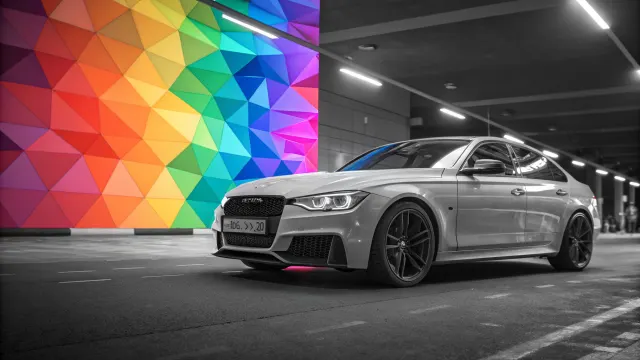
Why Remove Image Backgrounds
A transparent background is a basic requirement for many tasks: from product listings on marketplaces to professional design. Previously, this required Photoshop and 10–30 minutes of manual work with the Pen or Magic Wand tool. Today, AI does it in seconds and often more accurately than a human.
Marketplaces and E-commerce
Amazon, eBay, Etsy, and other marketplaces require product photos on white or transparent backgrounds. A quality product card with a clean background boosts conversion by 20–30% compared to photos on busy backgrounds. UseToolz AI Background Remover lets you prepare such photos for free.
How AI Removes Backgrounds
Modern background removal models use U²-Net architecture — a deep neural network specifically designed for segmentation tasks. The network analyzes the image at multiple levels of detail: from large objects to fine details like hair and semi-transparent fabrics.
For each pixel, the model computes the probability of belonging to the foreground. The result is a segmentation mask that determines which pixels to keep and which to make transparent. The output is a PNG with an alpha channel.
Why AI Is Better Than Manual Selection
- Speed — 5–15 seconds instead of 10–30 minutes in Photoshop
- Hair and fur — AI correctly handles complex contours that the Magic Wand cannot
- Semi-transparency — glass, tulle, smoke are processed while preserving translucency
- Accessibility — no Photoshop or retouching skills needed
Use Cases
Product cards. Marketplaces require clean backgrounds. Photograph your product on any background, remove it with AI Background Remover, and get a professional listing.
Design and presentations. Cut out objects for collages, banners, or presentation slides. Transparent PNGs overlay easily on any background.
Social media. Create avatars with clean backgrounds or prepare content for Stories and posts with object overlays.
Document photos. White background for passport, visa, ID. Upload photo, remove background, overlay white — done.
Formats and Transparency
Not all image formats support transparency:
- PNG — full alpha channel support, 256 transparency levels per pixel. Ideal format for the result.
- WebP — supports transparency, file 25–35% smaller than PNG. Great for web.
- JPEG — no transparency support. Transparent areas will be filled with white.
- GIF — only 1-bit transparency (pixel is either visible or not). Not suitable for smooth edges.
For format conversion use the format converter, for compression — the compression tool.
Tips for Best Results
- Object-background contrast — a white object on a white background is harder to cut than on a dark one
- One large object — the model works best when the object takes up a significant part of the frame
- Quality photo — less noise and blur means a more precise segmentation mask
- Check the edges — sometimes it is worth touching up the result in an image editor, especially for complex objects
Frequently Asked Questions
Is the tool free?
Yes. Unregistered users — up to 3 images per day, registered — up to 10. The limit resets every 24 hours.
Is it safe to upload photos?
The image is sent to a server for neural network processing and automatically deleted after you download the result. We don't store your photos.
Does quality decrease when removing background?
No. Resolution and object details are preserved. Only background pixels are removed — they become transparent.
Does it work on complex backgrounds?
Yes. The model is trained on diverse backgrounds: gradients, textures, landscapes. The only limitation is when the object blends with the background in color and texture.
What to do after removing the background?
Download the transparent PNG. If needed, compress to reduce size, upscale resolution with AI Upscaler, or add a watermark for protection.